
Hero Background Effects New
Overview
For most websites, a visually stunning homepage hero section can more easily attract users to stay. However, achieving visual appeal often requires complex technical effort and a touch of creative inspiration.
The theme comes with a series of visually impressive background effects built into the Hero section of the homepage, which can be easily applied to your site through simple configuration:
---
pageLayout: home
home: true
config:
 -
    type: hero
    full: true
    effect: tint-plate
    effectConfig:
      key: value
---
Only when type: hero is set will the theme apply the effect specified in effect.
The effect property supports the following values:
The effectConfig should be configured according to the selected effect. In most cases, you don’t need to configure it—the theme will automatically apply preset configurations.
Note
The built-in effects are based on the excellent open-source project vue-bits, whose code has been adapted and integrated into the theme under the MIT license.
Force Dark Mode
Most background effects perform better in dark mode, so it is recommended to enable dark mode for the best experience.
However, for documentation pages, you may prefer light mode. Therefore, the theme provides a forceDark option in the hero section, which forces the homepage into dark mode without affecting the color mode of other pages.
---
pageLayout: home
home: true
config:
 -
    type: hero
    full: true
    forceDark: true
    effect: lightning
---
Dynamic Background Effects
Important
Some effects may depend on three, gsap, or ogl. You need to manually install the corresponding dependencies based on the effect you choose.
The theme loads these effects on-demand, so there is no need to worry about increasing the final bundle size.
tint-plate
Effect Preview
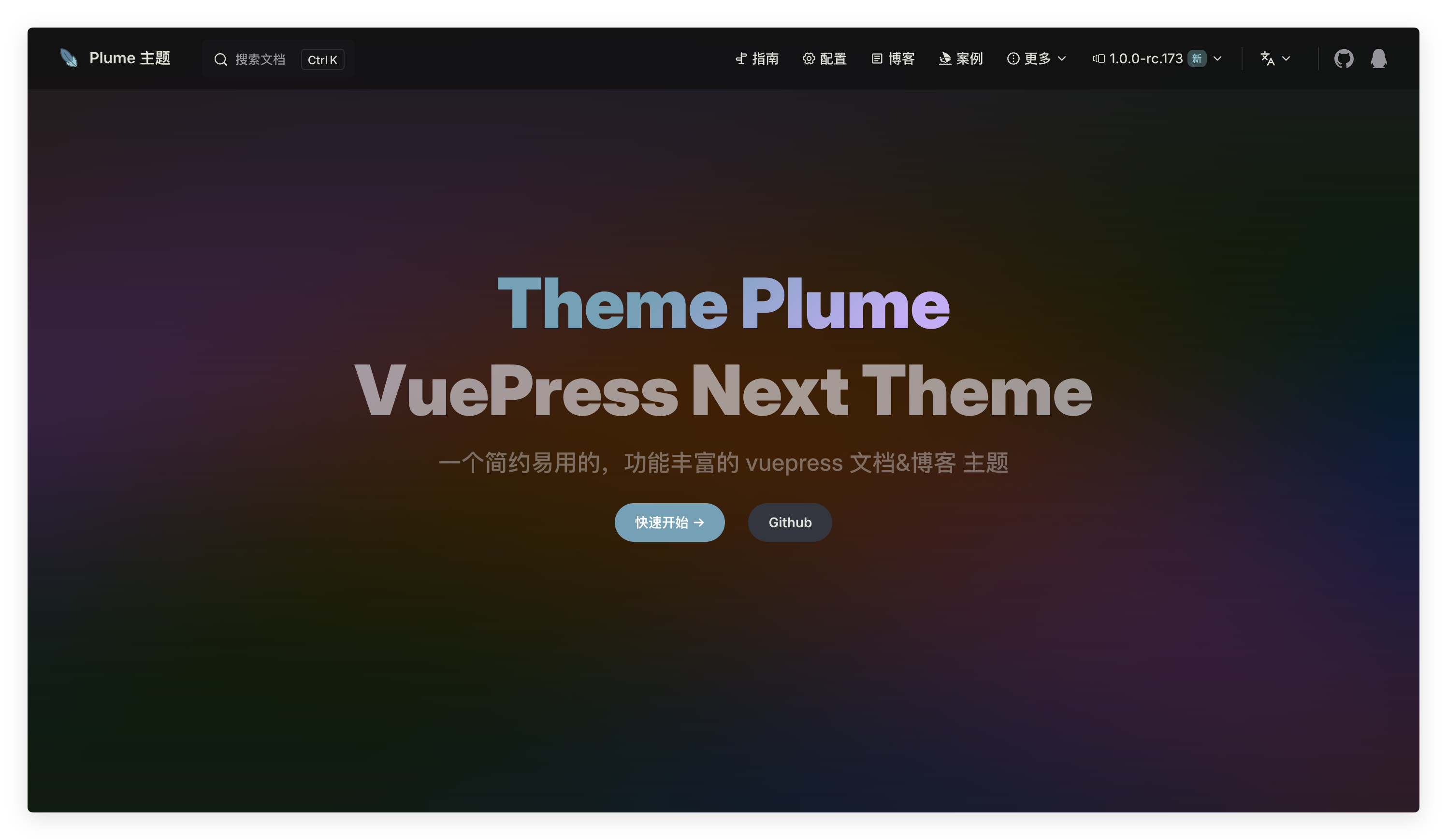
Usage
---
pageLayout: home
home: true
config:
 -
    type: hero
    full: true
    effect: tint-plate
---
Configuration
effectConfig is used to configure RGB values:
- When configured as a single value, it sets the same value for red, green, and blue channels (range: 0–255). Example:
210. - When configured as three values, it sets different values for red, green, and blue channels (range: 0–255). Example:
210,210,210. - When configured as
TintPlate, it allows more flexible control over each color value and its corresponding offset. - It can also be configured as
{ light: TintPlate, dark: TintPlate }to use different color values in light mode and dark mode.
interface TintPlate {
  r: { value: number, offset: number }
  g: { value: number, offset: number }
  b: { value: number, offset: number }
}Example:
---
pageLayout: home
home: true
config:
 -
    type: hero
    full: true
    effect: tint-plate
    effectConfig: 210
------
pageLayout: home
home: true
config:
-
type: hero
full: true
effect: tint-plate
effectConfig: 210,210,210
------
pageLayout: home
home: true
config:
-
type: hero
full: true
effect: tint-plate
effectConfig:
r:
value: 210
offset: 0
g:
value: 210
offset: 0
b:
value: 210
offset: 0
---Info
To help users easily configure visually appealing and personalized backgrounds, the theme also provides a Homepage Hero Tint Plate Configuration Tool. You can use this tool for visual configuration and generate configuration content that can be directly copied into your own project.
prism
Effect Preview
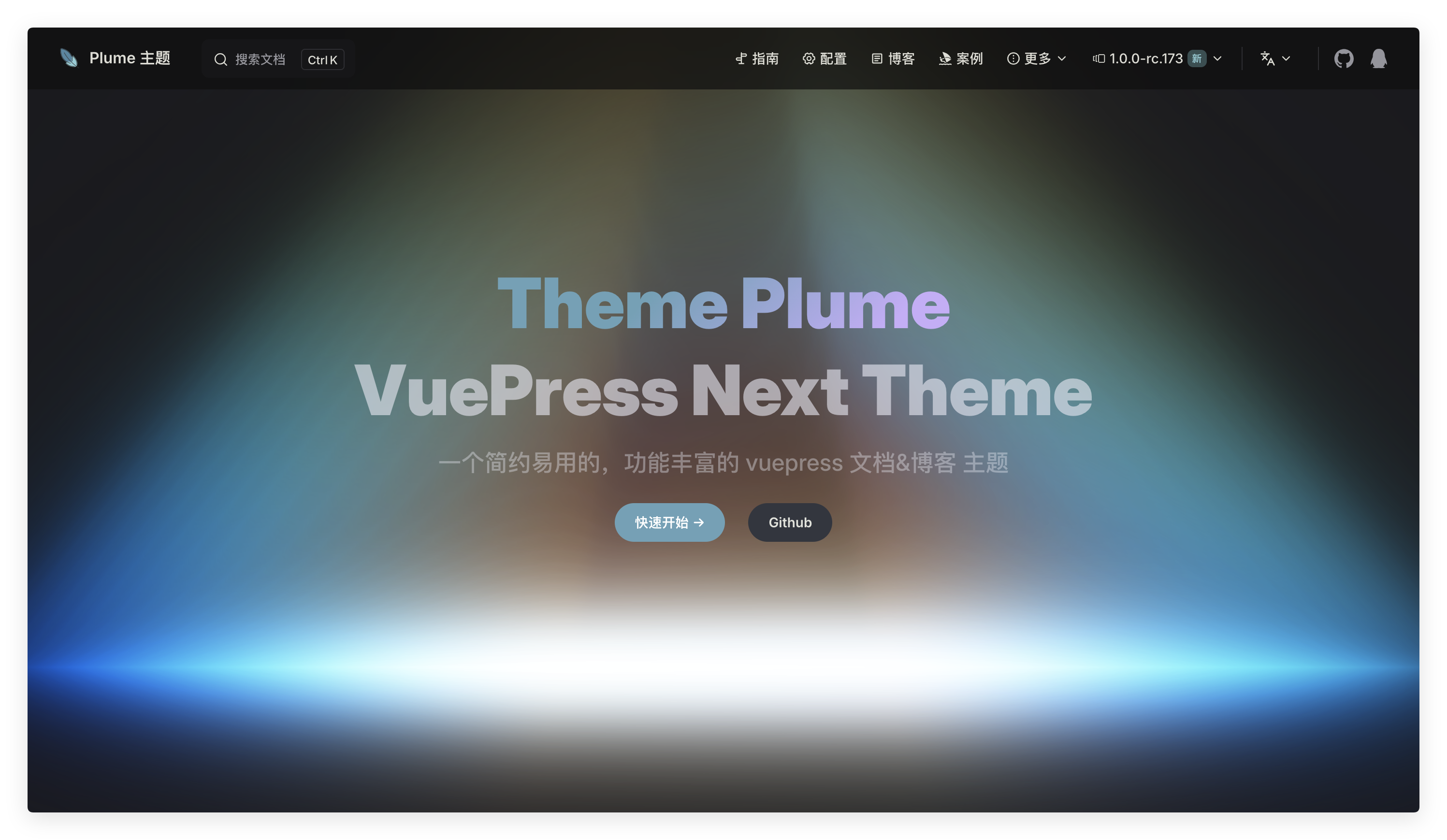
Install dependencies
npm i oglpnpm add oglyarn add oglUsage
---
pageLayout: home
home: true
config:
 -
    type: hero
    full: true
    effect: prism
---
Configuration
Apex height of the prism (world units)
Total base width across X/Z (world units).
Animation mode: shader wobble, pointer hover tilt, or full 3D rotation.
Glow/bleed intensity multiplier.
Pixel offset within the canvas (x→right, y→down).
Film-grain noise amount added to final color (0 disables).
Whether the canvas has an alpha channel (transparent background).
Overall screen-space scale of the prism (bigger = larger).
Hue rotation (radians) applied to final color.
Frequency of internal sine bands controlling color variation.
Sensitivity of hover tilt (pitch/yaw amplitude).
Easing factor for hover (0..1, higher = snappier).
Extra bloom factor layered on top of glow.
Pause rendering when the element is not in the viewport.
Global time multiplier for animations (0=frozen, 1=normal).
Example:
---
pageLayout: home
home: true
config:
 -
    type: hero
    full: true
    effect: prism
    effectConfig:
      height: 3.5,
      baseWidth: 5.5
      animationType: rotate
      glow: 1
      offset:
        x: 0
        y: 0
      noise: 0
      transparent: true
      scale: 3.6
      hueShift: 0
      colorFrequency: 1
      hoverStrength: 2
      inertia: 0.05
      bloom: 1
      suspendWhenOffscreen: true
      timeScale: 0.5
---
pixel-blast
Effect Preview

Install dependencies
npm i three postprocessingpnpm add three postprocessingyarn add three postprocessingUsage
---
pageLayout: home
home: true
config:
 -
    type: hero
    full: true
    effect: pixel-blast
---
Configuration
Pixel shape variant
Base pixel size (auto scaled for DPI).
Pixel color.
Enable antialiasing.
Noise/pattern scale.
Pattern density adjustment.
Enable liquid distortion effect.
Liquid distortion strength.
Liquid touch brush radius scale.
Liquid wobble frequency.
Random jitter applied to coverage.
Enable click ripple waves.
Ripple intensity multiplier.
Ripple ring thickness.
Ripple propagation speed.
Enable auto-pausing when offscreen.
Animation time scale.
Transparent background.
Edge fade distance (0-1).
Post noise amount.
Container class name
Container style
Background image URL
Example:
---
pageLayout: home
home: true
config:
 -
    type: hero
    full: true
    effect: pixel-blast
    effectConfig:
      variant: square
      pixelSize: 4
      color: #5086a1
      antialias: true
      patternScale: 2
      patternDensity: 1
      liquid: false
      liquidStrength: 0.1
      liquidRadius: 1
      pixelSizeJitter: 0
      enableRipples: true
      rippleIntensityScale: 1
      rippleThickness: 0.1
      rippleSpeed: 0.3
      liquidWobbleSpeed: 4.5
      autoPauseOffscreen: true
      speed: 0.5
      transparent: true
      edgeFade: 0.5
      noiseAmount: 0
---
hyper-speed
Effect Preview
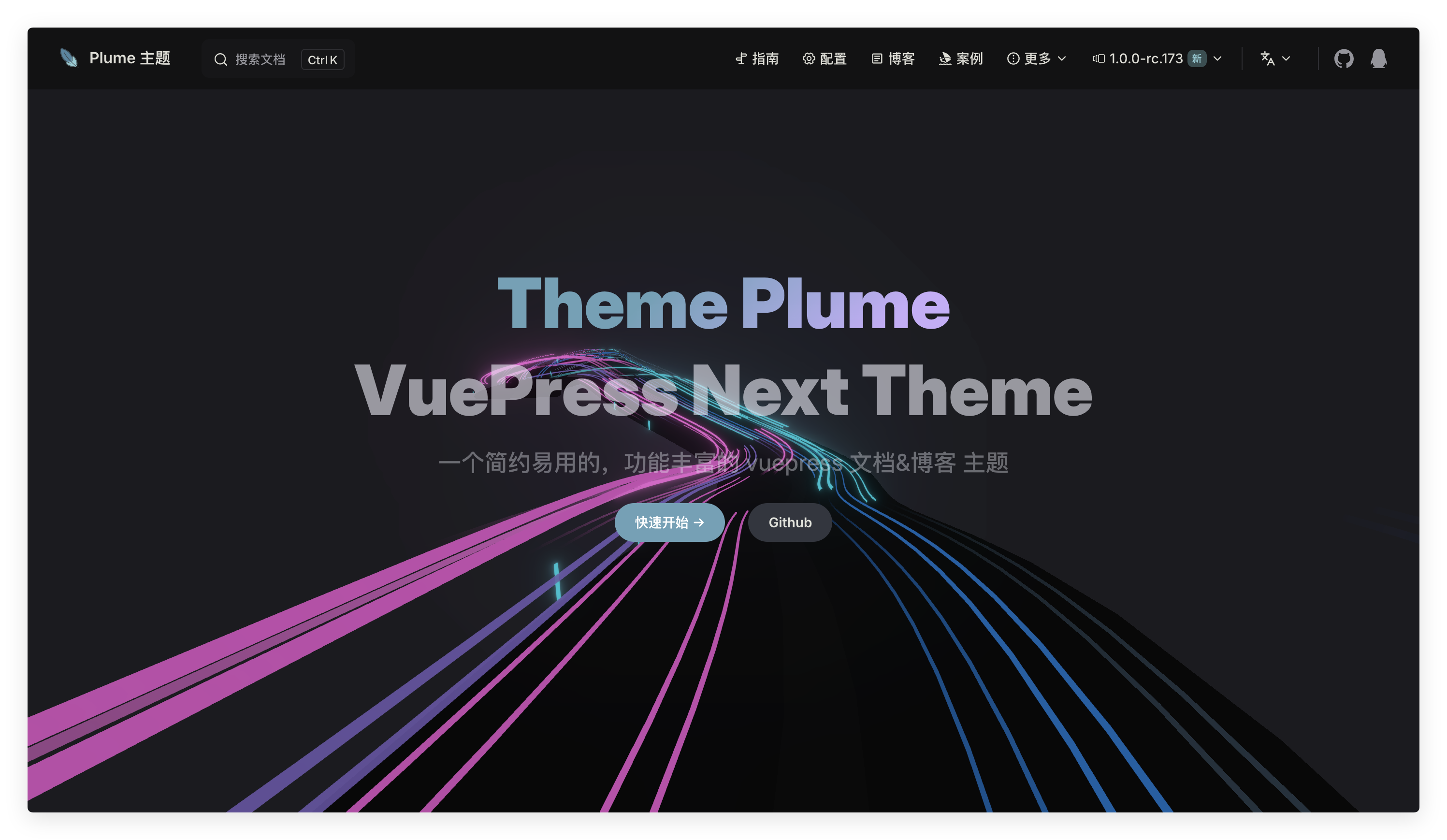
Install dependencies
npm i three postprocessingpnpm add three postprocessingyarn add three postprocessingUsage
---
pageLayout: home
home: true
config:
 -
    type: hero
    full: true
    effect: hyper-speed
---
Configuration
interface ThemeHomeHeroHyperSpeedDistortion {
  uniforms: Record<string, { value: unknown }>
  getDistortion: string
}

interface ThemeHomeHeroHyperSpeedColors {
  roadColor: number
  islandColor: number
  background: number
  shoulderLines: number
  brokenLines: number
  leftCars: number[]
  rightCars: number[]
  sticks: number
}

interface ThemeHomeHeroHyperSpeed {
  distortion?: string | ThemeHomeHeroHyperSpeedDistortion
  length: number
  roadWidth: number
  islandWidth: number
  lanesPerRoad: number
  fov: number
  fovSpeedUp: number
  speedUp: number
  carLightsFade: number
  totalSideLightSticks: number
  lightPairsPerRoadWay: number
  shoulderLinesWidthPercentage: number
  brokenLinesWidthPercentage: number
  brokenLinesLengthPercentage: number
  lightStickWidth: [number, number]
  lightStickHeight: [number, number]
  movingAwaySpeed: [number, number]
  movingCloserSpeed: [number, number]
  carLightsLength: [number, number]
  carLightsRadius: [number, number]
  carWidthPercentage: [number, number]
  carShiftX: [number, number]
  carFloorSeparation: [number, number]
  colors: ThemeHomeHeroHyperSpeedColors
  isHyper?: boolean
}
vue-bits does not provide detailed configuration instructions; please use with caution.
You can use the following preset configuration, directly copy it into your markdown file:
---
pageLayout: home
home: true
config:
 -
    type: hero
    full: true
    effect: hyper-speed
    effectConfig:
      distortion: turbulentDistortion
      length: 400
      roadWidth: 10
      islandWidth: 2
      lanesPerRoad: 3
      fov: 90
      fovSpeedUp: 150
      speedUp: 2
      carLightsFade: 0.4
      totalSideLightSticks: 20
      lightPairsPerRoadWay: 40
      shoulderLinesWidthPercentage: 0.05
      brokenLinesWidthPercentage: 0.1
      brokenLinesLengthPercentage: 0.5
      lightStickWidth: [0.12, 0.5]
      lightStickHeight: [1.3, 1.7]
      movingAwaySpeed: [60, 80]
      movingCloserSpeed: [-120, -160]
      carLightsLength: [12, 80]
      carLightsRadius: [0.05, 0.14]
      carWidthPercentage: [0.3, 0.5]
      carShiftX: [-0.8, 0.8]
      carFloorSeparation: [0, 5]
      colors:
        roadColor: 0x080808
        islandColor: 0x0a0a0a
        background: 0x000000
        shoulderLines: 0x131318
        brokenLines: 0x131318
        leftCars: [0xd856bf, 0x6750a2, 0xc247ac]
        rightCars: [0x03b3c3, 0x0e5ea5, 0x324555]
        sticks: 0x03b3c3
------
pageLayout: home
home: true
config:
-
type: hero
full: true
effect: hyper-speed
effectConfig:
distortion: mountainDistortion
length: 400
roadWidth: 9
islandWidth: 2
lanesPerRoad: 3
fov: 90
fovSpeedUp: 150
speedUp: 2
carLightsFade: 0.4
totalSideLightSticks: 50
lightPairsPerRoadWay: 50
shoulderLinesWidthPercentage: 0.05
brokenLinesWidthPercentage: 0.1
brokenLinesLengthPercentage: 0.5
lightStickWidth: [0.12, 0.5]
lightStickHeight: [1.3, 1.7]
movingAwaySpeed: [60, 80]
movingCloserSpeed: [-120, -160]
carLightsLength: [20, 60]
carLightsRadius: [0.05, 0.14]
carWidthPercentage: [0.3, 0.5]
carShiftX: [-0.2, 0.2]
carFloorSeparation: [0.05, 1]
colors:
roadColor: 0x080808
islandColor: 0x0a0a0a
background: 0x000000
shoulderLines: 0x131318
brokenLines: 0x131318
leftCars: [0xff102a, 0xeb383e, 0xff102a]
rightCars: [0xdadafa, 0xbebae3, 0x8f97e4]
sticks: 0xdadafa
------
pageLayout: home
home: true
config:
-
type: hero
full: true
effect: hyper-speed
effectConfig:
distortion: xyDistortion
length: 400
roadWidth: 9
islandWidth: 2
lanesPerRoad: 3
fov: 90
fovSpeedUp: 150
speedUp: 3
carLightsFade: 0.4
totalSideLightSticks: 50
lightPairsPerRoadWay: 30
shoulderLinesWidthPercentage: 0.05
brokenLinesWidthPercentage: 0.1
brokenLinesLengthPercentage: 0.5
lightStickWidth: [0.02, 0.05]
lightStickHeight: [0.3, 0.7]
movingAwaySpeed: [20, 50]
movingCloserSpeed: [-150, -230]
carLightsLength: [20, 80]
carLightsRadius: [0.03, 0.08]
carWidthPercentage: [0.1, 0.5]
carShiftX: [-0.5, 0.5]
carFloorSeparation: [0, 0.1]
colors:
roadColor: 0x080808
islandColor: 0x0a0a0a
background: 0x000000
shoulderLines: 0x131318
brokenLines: 0x131318,
leftCars: [0x7d0d1b, 0xa90519, 0xff102a]
rightCars: [0xf1eece, 0xe6e2b1, 0xdfd98a]
sticks: 0xf1eece
------
pageLayout: home
home: true
config:
-
type: hero
full: true
effect: hyper-speed
effectConfig:
distortion: LongRaceDistortion
length: 400
roadWidth: 10
islandWidth: 5
lanesPerRoad: 2
fov: 90
fovSpeedUp: 150
speedUp: 2
carLightsFade: 0.4
totalSideLightSticks: 50
lightPairsPerRoadWay: 70
shoulderLinesWidthPercentage: 0.05
brokenLinesWidthPercentage: 0.1
brokenLinesLengthPercentage: 0.5
lightStickWidth: [0.12, 0.5]
lightStickHeight: [1.3, 1.7]
movingAwaySpeed: [60, 80]
movingCloserSpeed: [-120, -160]
carLightsLength: [20, 60]
carLightsRadius: [0.05, 0.14]
carWidthPercentage: [0.3, 0.5]
carShiftX: [-0.2, 0.2]
carFloorSeparation: [0.05, 1]
colors:
roadColor: 0x080808
islandColor: 0x0a0a0a
background: 0x000000
shoulderLines: 0x131318
brokenLines: 0x131318
leftCars: [0xff5f73, 0xe74d60, 0xff102a]
rightCars: [0xa4e3e6, 0x80d1d4, 0x53c2c6]
sticks: 0xa4e3e6
------
pageLayout: home
home: true
config:
-
type: hero
full: true
effect: hyper-speed
effectConfig:
distortion: turbulentDistortion
length: 400
roadWidth: 9
islandWidth: 2
lanesPerRoad: 3
fov: 90
fovSpeedUp: 150
speedUp: 2
carLightsFade: 0.4
totalSideLightSticks: 50
lightPairsPerRoadWay: 50
shoulderLinesWidthPercentage: 0.05
brokenLinesWidthPercentage: 0.1
brokenLinesLengthPercentage: 0.5
lightStickWidth: [0.12, 0.5]
lightStickHeight: [1.3, 1.7]
movingAwaySpeed: [60, 80]
movingCloserSpeed: [-120, -160]
carLightsLength: [20, 60]
carLightsRadius: [0.05, 0.14]
carWidthPercentage: [0.3, 0.5]
carShiftX: [-0.2, 0.2]
carFloorSeparation: [0.05, 1]
colors:
roadColor: 0x080808
islandColor: 0x0a0a0a
background: 0x000000
shoulderLines: 0x131318
brokenLines: 0x131318
leftCars: [0xdc5b20, 0xdca320, 0xdc2020]
rightCars: [0x334bf7, 0xe5e6ed, 0xbfc6f3]
sticks: 0xc5e8eb
------
pageLayout: home
home: true
config:
-
type: hero
full: true
effect: hyper-speed
effectConfig:
distortion: deepDistortion
length: 400
roadWidth: 18
islandWidth: 2
lanesPerRoad: 3
fov: 90
fovSpeedUp: 150
speedUp: 2
carLightsFade: 0.4
totalSideLightSticks: 50
lightPairsPerRoadWay: 50
shoulderLinesWidthPercentage: 0.05
brokenLinesWidthPercentage: 0.1
brokenLinesLengthPercentage: 0.5
lightStickWidth: [0.12, 0.5]
lightStickHeight: [1.3, 1.7]
movingAwaySpeed: [60, 80]
movingCloserSpeed: [-120, -160]
carLightsLength: [20, 60]
carLightsRadius: [0.05, 0.14]
carWidthPercentage: [0.3, 0.5]
carShiftX: [-0.2, 0.2]
carFloorSeparation: [0.05, 1]
colors:
roadColor: 0x080808
islandColor: 0x0a0a0a
background: 0x000000
shoulderLines: 0x131318
brokenLines: 0x131318
leftCars: [0xff322f, 0xa33010, 0xa81508]
rightCars: [0xfdfdf0, 0xf3dea0, 0xe2bb88]
sticks: 0xfdfdf0
---liquid-ether
Effect Preview
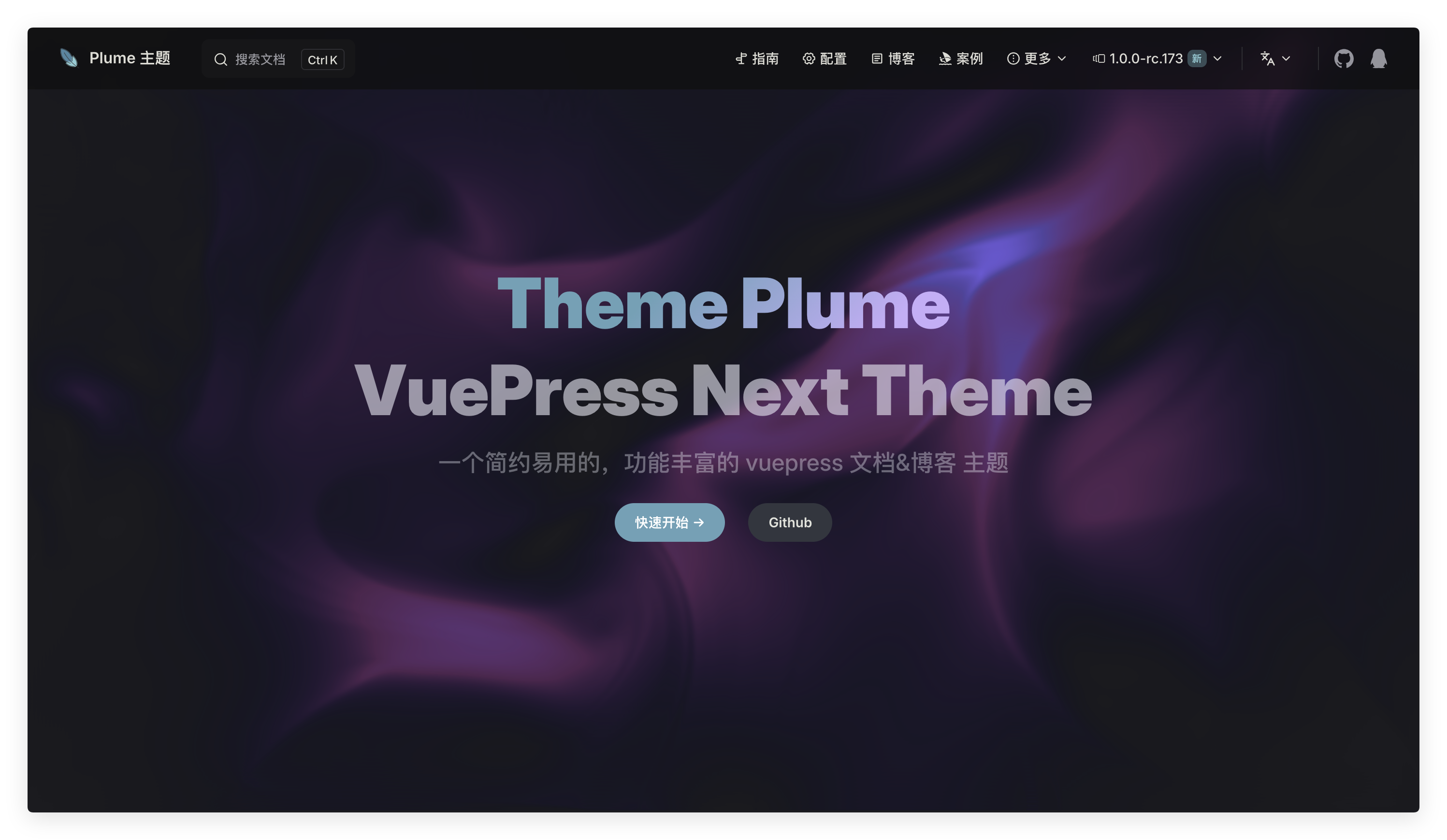
Install dependencies
npm i threepnpm add threeyarn add threeUsage
---
pageLayout: home
home: true
config:
 -
    type: hero
    full: true
    effect: liquid-ether
---
Configuration
Strength multiplier applied to mouse / touch movement when injecting velocity.
Radius (in pixels at base resolution) of the force brush.
Toggle iterative viscosity solve (smoother, thicker motion when enabled).
Viscosity coefficient used when isViscous is true.
Number of Gauss-Seidel iterations for viscosity (higher = smoother, slower).
Number of pressure Poisson iterations to enforce incompressibility.
Fixed simulation timestep used inside the advection / diffusion passes.
Enable BFECC advection (error-compensated) for crisper flow; disable for slight performance gain.
Simulation texture scale relative to canvas size (lower = better performance, more blur).
If true, shows bounce boundaries (velocity clamped at edges).
Array of hex color stops used to build the velocity-to-color palette.
Enable idle auto-driving of the pointer when no user interaction.
Speed (normalized units/sec) for auto pointer motion.
Multiplier applied to velocity delta while in auto mode.
Seconds to interpolate from auto pointer to real cursor when user moves mouse.
Milliseconds of inactivity before auto mode resumes.
Seconds to ramp auto movement speed from 0 to full after activation.
Custom class name to apply to the container element
Custom inline styles to apply to the container element
Example:
---
pageLayout: home
home: true
config:
 -
    type: hero
    full: true
    effect: liquid-ether
    effectConfig:
      mouseForce: 20
      cursorSize: 100
      isViscous: false
      viscous: 30
      iterationsViscous: 32
      iterationsPoisson: 32
      dt: 0.014
      BFECC: true
      resolution: 0.5
      isBounce: false
      colors: [#5227FF, #FF9FFC, #B19EEF]
      autoDemo: true
      autoSpeed: 0.5
      autoIntensity: 2.2
      takeoverDuration: 0.25
      autoResumeDelay: 1000
      autoRampDuration: 0.6
---
dot-grid
Effect Preview

Install dependencies
npm i three gsappnpm add three gsapyarn add three gsapUsage
---
pageLayout: home
home: true
config:
 -
    type: hero
    full: true
    effect: dot-grid
---
Configuration
Size of each dot in pixels.
Gap between each dot in pixels.
Base color of the dots.
Color of dots when hovered or activated.
Radius around the mouse pointer within which dots react.
Mouse speed threshold to trigger inertia effect.
Radius of the shockwave effect on click.
Strength of the shockwave effect on click.
Maximum speed for inertia calculation.
Resistance for the inertia effect.
Duration for dots to return to their original position after inertia.
CSS class names applied to the container.
Inline styles applied to the container.
Example:
---
pageLayout: home
home: true
config:
 -
    type: hero
    full: true
    effect: dot-grid
    effectConfig:
      dotSize: 5
      gap: 15
      baseColor: #ebebf5
      activeColor: #8cccd5
      proximity: 120
      speedTrigger: 100
      shockRadius: 250
      shockStrength: 5
      maxSpeed: 5000
      resistance: 750
      returnDuration: 1.5
---
iridescence
Effect Preview
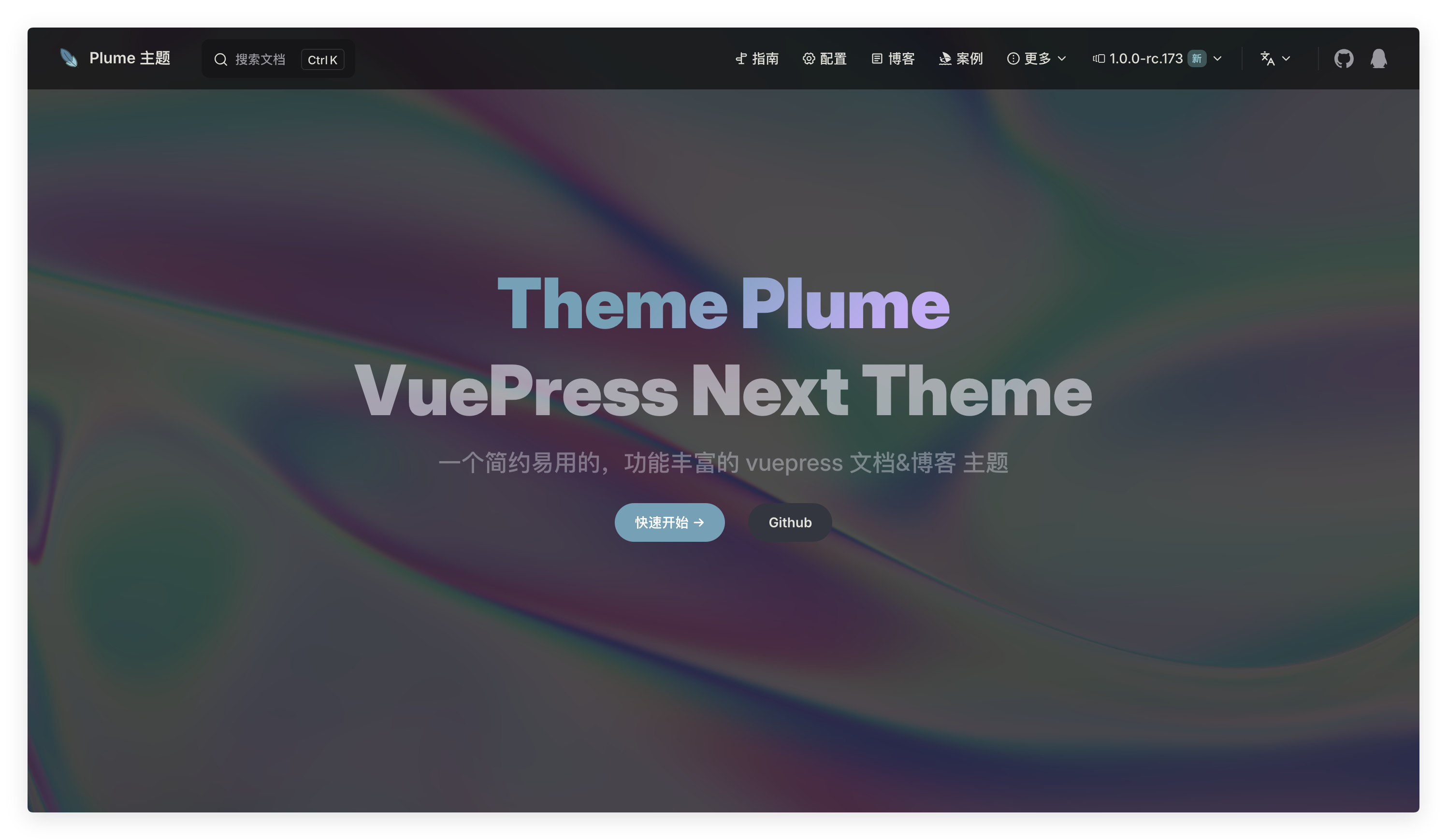
Install dependencies
npm i oglpnpm add oglyarn add oglUsage
---
pageLayout: home
home: true
config:
 -
    type: hero
    full: true
    effect: iridescence
---
Configuration
Base color as an array of RGB values (each between 0 and 1).
Speed multiplier for the animation.
Amplitude for the mouse-driven effect.
Enable or disable mouse interaction with the shader.
Example:
---
pageLayout: home
home: true
config:
 -
    type: hero
    full: true
    effect: iridescence
    effectConfig:
      color: [1, 1, 1]
      speed: 1.0
      amplitude: 0.1
      mouseReact: true
---
orb
Effect Preview
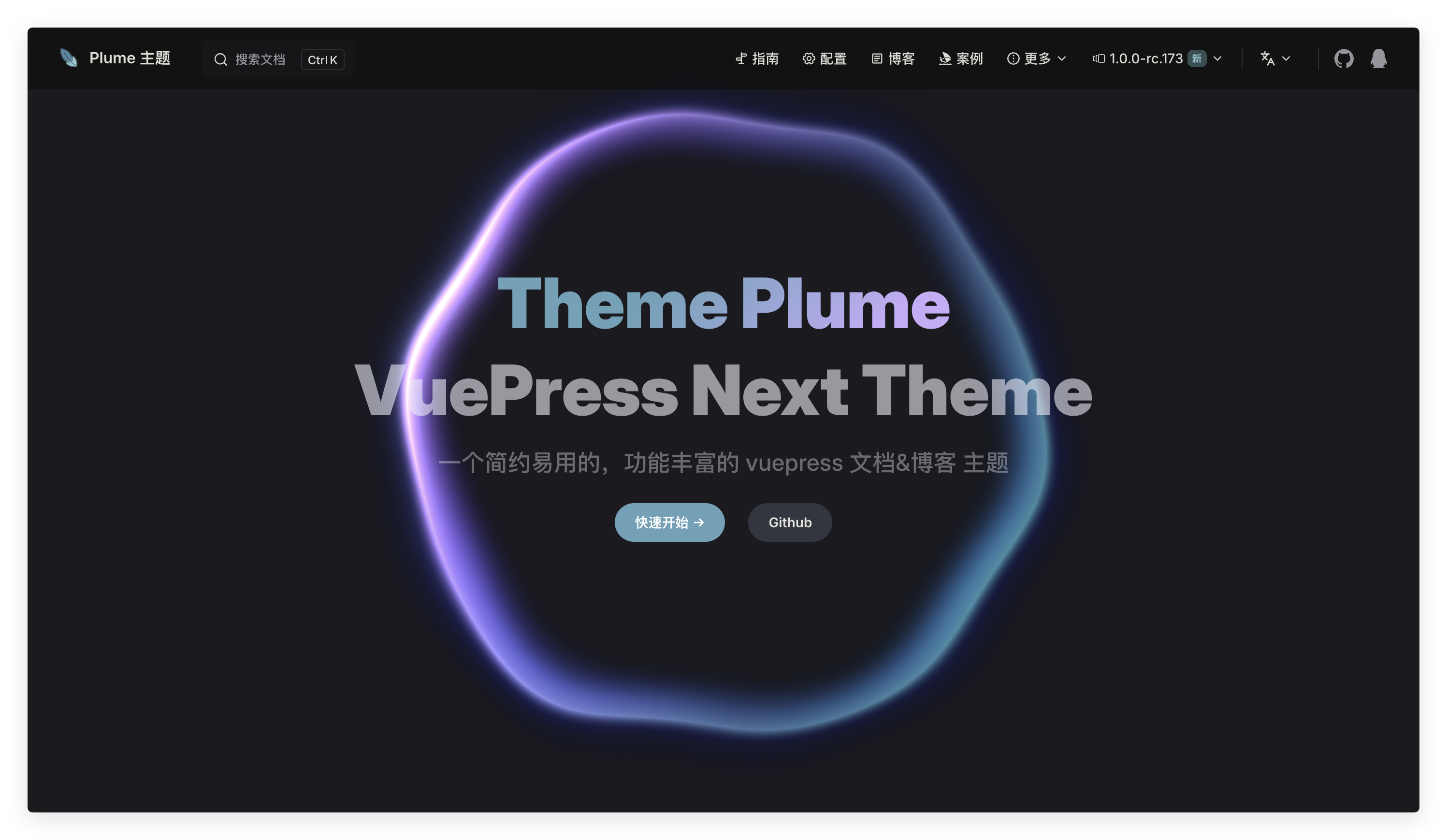
Install dependencies
npm i oglpnpm add oglyarn add oglUsage
---
pageLayout: home
home: true
config:
 -
    type: hero
    full: true
    effect: orb
---
Configuration
The base hue for the orb (in degrees).
Controls the intensity of the hover distortion effect.
Toggle to enable or disable continuous rotation on hover.
Force hover animations even when the orb is not actually hovered.
Additional CSS classes for the component.
Example:
---
pageLayout: home
home: true
config:
 -
    type: hero
    full: true
    effect: orb
    effectConfig:
      hue: 0
      hoverIntensity: 0.2
      rotateOnHover: true
      forceHoverState: false
---
beams
Effect Preview
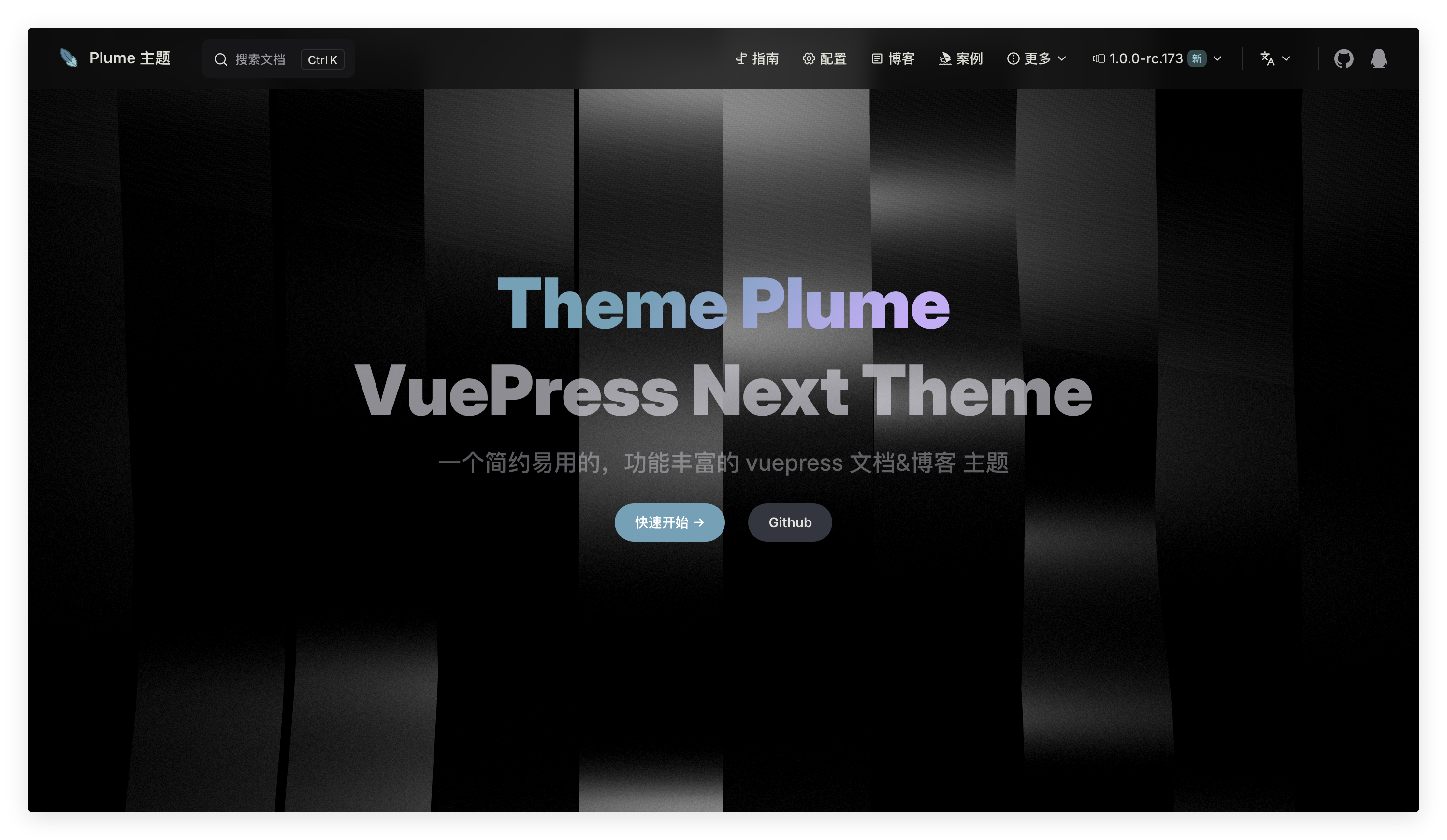
Install dependencies
npm i threepnpm add threeyarn add threeUsage
---
pageLayout: home
home: true
config:
 -
    type: hero
    full: true
    effect: beams
---
Configuration
Width of each beam.
Height of each beam.
Number of beams to display.
Color of the directional light.
Speed of the animation.
Intensity of the noise effect overlay.
Scale of the noise pattern.
Rotation of the entire beams system in degrees.
Example:
---
pageLayout: home
home: true
config:
 -
    type: hero
    full: true
    effect: beams
    effectConfig:
      beamWidth: 2
      beamHeight: 15
      beamNumber: 12
      lightColor: #fff
      speed: 2
      noiseIntensity: 1.75
      scale: 0.2
      rotation: 0
---
lightning
Effect Preview
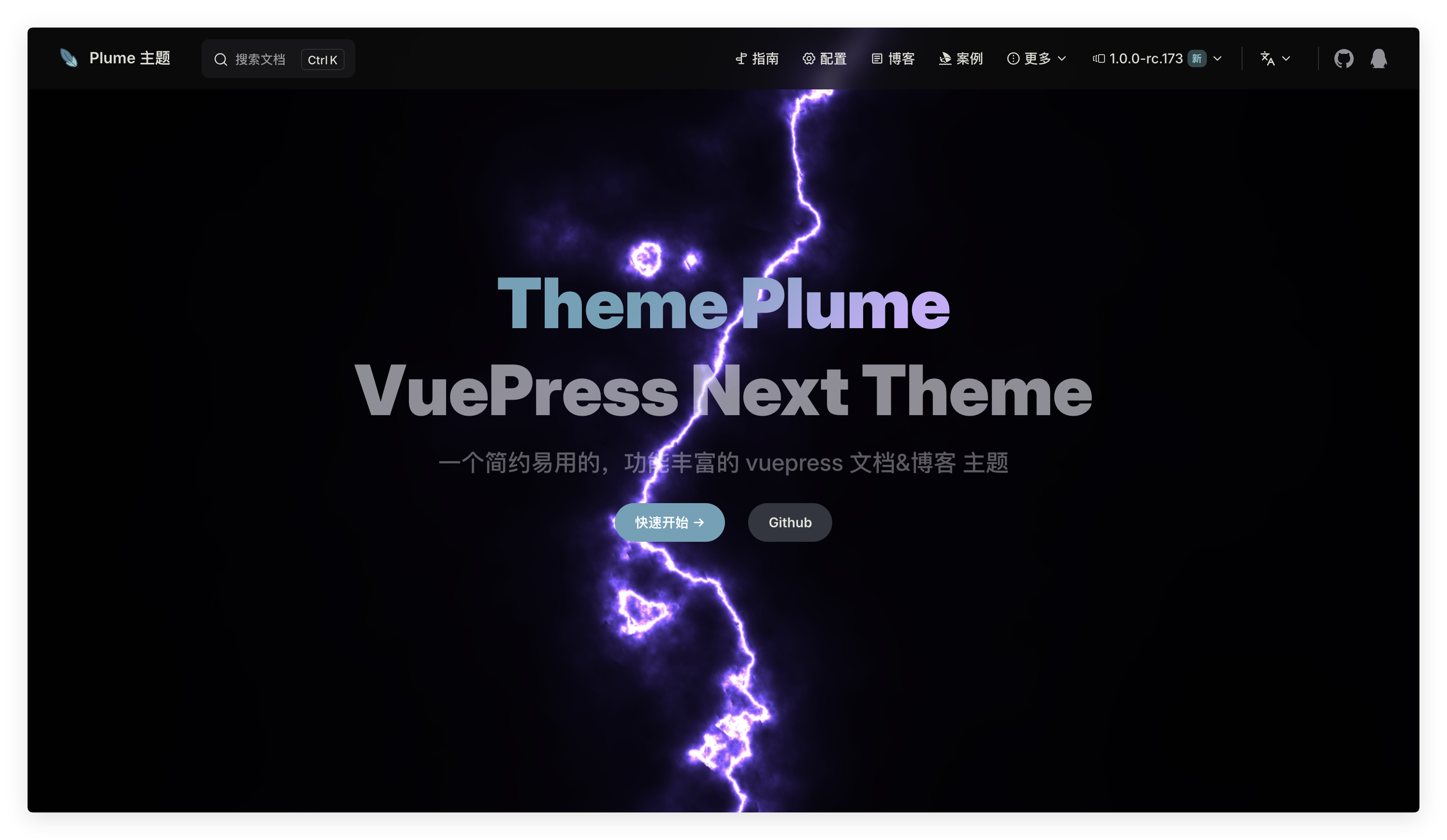
Usage
---
pageLayout: home
home: true
config:
 -
    type: hero
    full: true
    effect: lightning
---
Configuration
Hue of the lightning in degrees (0 to 360).
Horizontal offset of the lightning in normalized units.
Animation speed multiplier for the lightning.
Brightness multiplier for the lightning.
Scale factor for the bolt size.
Example:
---
pageLayout: home
home: true
config:
 -
    type: hero
    full: true
    effect: lightning
    effectConfig:
      hue: 255
      xOffset: 0
      speed: 1
      intensity: 1
      size: 1
---
dark-veil
Effect Preview

Usage
---
pageLayout: home
home: true
config:
 -
    type: hero
    full: true
    effect: dark-veil
---
Configuration
Shifts the hue of the entire animation.
Intensity of the noise/grain effect.
Intensity of the scanline effect.
Speed of the animation.
Frequency of the scanlines.
Amount of warp distortion applied to the effect.
Scale factor for the resolution.
Example:
---
pageLayout: home
home: true
config:
 -
    type: hero
    full: true
    effect: dark-veil
    effectConfig:
      hueShift: 0
      noiseIntensity: 0
      scanlineIntensity: 0
      speed: 0.5
      scanlineFrequency: 0
      warpAmount: 0
      resolutionScale: 1
---